
Cracked, dead,
or completely fried.
or completely fried.
Most phone repairs done same-day. No appointment needed.



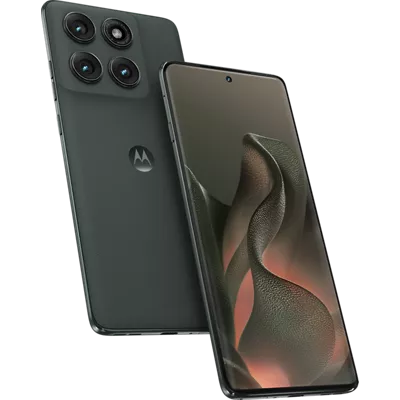

We fix the tech
you depend on.
you depend on.
Computers, tablets, consoles and more. Expert techs, honest pricing.

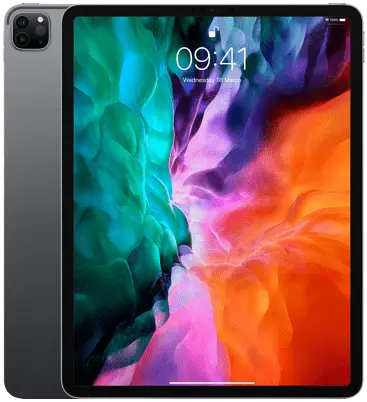



FAQ
Got questions?
Got questions?
We've got answers.
Everything you need to know about our repair process, pricing, turnaround times, warranty, custom builds, and how we work.
// Most Asked
How long does a repair take?
Most repairs — screen replacements, battery swaps, charging ports — are done same day, often within a few hours. More complex repairs like water damage or board-level work take longer. We'll always give you a realistic estimate upfront.
// Most Asked
Do you charge a diagnostic fee?
For most repairs, yes — diagnostics take real labor, and that cost applies directly to your repair. In most cases, it's the only thing you pay besides parts. We'll always confirm the price before doing any work.
// Most Asked
What warranty do repairs come with?
All repairs come with a 90-day warranty on parts and labor. If something goes wrong with the repair itself within 90 days, bring it back and we'll fix it at no charge.
All Questions
Everything you need to know.
Can't find what you're looking for? Call us or stop in — we're happy to help.
// 01General
Do I need an appointment?
No appointment needed — walk-ins are always welcome at both locations. If you're coming for something specific and want to make sure we have the parts on hand, calling ahead is always a good idea.
How long have you been around?
Since 2001. Over two decades of fixing the devices people depend on every day. We've repaired over 240,000 devices across our locations.
Can you come to me?
Yes — we offer onsite service for businesses and some residential situations. Visit /onsite-repair for details or give us a call.
Can I mail in my device?
Yes. We accept mail-in repairs from anywhere in the US. Fill out the repair form at /start-repair, get your ticket number, pack your device with the ticket number inside, and ship to our Vancouver location. We repair it and ship it straight back with a 90-day warranty.
What devices do you repair?
iPhones, Android phones, iPads, tablets, laptops, desktops, Macs, gaming consoles (PlayStation, Xbox, Nintendo, Steam Deck), and most other consumer electronics. If you're not sure, just bring it in.
What should I do before bringing my device in?
Back up your data if you can, and remove any case or accessories. On iPhone, you may need to turn off Find My before we can work on it. If something goes wrong unexpectedly, a backup means nothing is lost.
// 02Pricing & Warranty
How much does a repair cost?
It depends on the device and what's wrong. We give you a quote after the diagnostic — before any work starts. No surprises, no hidden fees.
How do diagnostics work?
For phones, tablets, computers and laptops, finding the fault means opening the device up and testing it, so a diagnostic is part of the job. It applies toward your repair, so in most cases it's the only thing you pay besides parts. Mail-in works differently, and for unique devices or boards we'll check it in first and call you with a plan once we know what it needs.
What warranty comes with a repair?
All standard repairs come with a 90-day warranty on parts and labor. Business partner repairs are backed by a 1-year warranty. If the same issue comes back within the warranty period, we fix it at no charge. No questions asked.
What payment methods do you accept?
We accept all major credit and debit cards, cash, and contactless payments. We do not accept checks.
Do you price match?
If you find a lower price locally for the same repair, we'll match it. Just show us the quote.
What if you can't fix it?
Honestly, it's rarely a question of whether we can. It's usually whether it's worth it, like when a part costs more than the device or more than you want to spend. We'll tell you that straight rather than take your money, and we'll always look at alternatives with you: getting you into a replacement device, applying what you already paid toward it, and transferring your data over if that's possible.
Will repairing my device void the manufacturer warranty?
Third-party repairs can affect manufacturer warranties. But if your device is already out of warranty or the repair isn't covered by AppleCare or a similar plan, that's not a real concern. We'll always tell you upfront if we think a manufacturer warranty claim is worth pursuing instead.
// 03Phone Repair
Is it worth repairing a cracked phone screen?
Almost always yes. A screen replacement costs significantly less than a new phone in most cases. The math gets closer on older devices, but we'll give you an honest read — if it doesn't make sense to fix, we'll tell you straight.
Will fixing my iPhone screen break Face ID?
No — not if it's done right. Face ID is tied to the original TrueDepth camera module, not the screen. We preserve the original front module on every repair and test Face ID before the phone goes back.
My phone won't charge even with a new cable. What's wrong?
If a new cable doesn't fix it, the issue is almost always the charging port itself or a charge IC fault on the board. The port is a straightforward repair. The charge IC is board-level work — but we do it. Bring it in and we'll diagnose before recommending anything.
My phone got wet. What should I do?
Don't turn it on — that's the most important thing. Powering up a wet board causes short circuits that create the real damage. Don't put it in rice either. Bring it in as soon as possible so we can clean the board properly.
My phone is dead. Can you still get my photos off it?
Sometimes yes — and it's worth trying before you give up. If the phone won't turn on but the storage is intact, data recovery may be possible even on badly damaged devices. We have a dedicated data recovery service for exactly this situation.
Do you fix phones other than iPhone and Samsung?
Yes — Google Pixel, OnePlus, Motorola, Huawei, and other Android brands are all in scope. Walk in and we'll tell you what we can do for your specific phone.
Do you repair OnePlus phones?
Yes — screens, batteries, charging ports, back glass, and board-level work across the OnePlus lineup. Parts for OnePlus aren't stocked by most shops, so call ahead if you want us to have it on hand.
Do you repair Motorola phones?
Yes — the full Moto range, including Edge, G series, and Razr. Screens, batteries, charging ports, and board-level repair.
What iPhone models do you work on?
All of them — iPhone 3 through the latest iPhone 17 Pro Max. Screen replacements, batteries, charging ports, back glass, camera, Face ID, water damage, and board-level repairs across every model.
// 04Computer Repair
Do you work on both Mac and PC?
Yes — MacBooks, iMacs, Mac Minis, Windows laptops, desktops, and custom builds. If it runs macOS or Windows, we fix it. We work on all brands including Dell, HP, Lenovo, Microsoft Surface, ASUS, Acer, Razer, and MSI.
My computer is slow. Can you fix that?
Yes — slow computers are usually a storage or software issue. Failing drives, maxed-out RAM, bloatware, or OS issues are the usual culprits. We diagnose the actual cause rather than just reinstalling and calling it done.
Will I lose my data during the repair?
We always back up your data before any repair that could put it at risk. We'll let you know before we start. That said, we always recommend backing up your own data before any repair — if something goes wrong unexpectedly, a backup means nothing is lost.
Apple told me the board is dead. Should I believe them?
Usually no. Apple doesn't do component-level repair — they replace the whole logic board or decline the job. A "dead board" to them is often a single failed component to us. Bring it in before writing it off.
Do you fix M1, M2, M3, and M4 Macs?
Yes — every Apple Silicon generation. MacBook Air, MacBook Pro, Mac mini, iMac, Mac Studio, Mac Pro. M1 through M4. If it runs Apple Silicon, we repair it.
My Mac got wet. What do I do?
Power it off immediately, don't charge it, and bring it in as fast as you can. Speed makes a real difference with liquid damage. We do board-level ultrasonic cleaning and corrosion treatment — not just a dry-out and hope for the best.
How long does a laptop repair take?
Screen replacements, battery swaps, and most keyboard repairs are done same day. Liquid damage and motherboard work typically takes 1–3 business days. We'll give you a straight timeline before we start.
// 05Tablet Repair
Is it worth repairing a cracked tablet screen?
Usually yes — especially on premium tablets like iPad Pro, Samsung Tab S, or Surface. Screen replacement is significantly cheaper than buying new. On budget tablets the math gets closer — we'll give you an honest read before anything starts.
What tablet brands do you fix?
iPad, Samsung Galaxy Tab, Microsoft Surface, Google Pixel Tablet, Lenovo Tab, Amazon Fire, and more. If parts are available and the repair makes financial sense, we'll work on it.
Can you fix my Apple Pencil or Surface Pen?
It depends on the issue. Pairing problems, charging issues, and connector problems we can often diagnose and fix. Bring it in and we'll take a look before recommending anything.
My tablet got wet. What should I do?
Don't turn it on — powering up a wet board causes shorts that create the real damage. Don't put it in rice. Bring it in as soon as possible so we can clean the board and assess it before corrosion spreads.
// 06Game Console Repair
Is it worth repairing my console or should I replace it?
Usually worth repairing. Most common console repairs — HDMI ports, overheating, disc drives — cost a fraction of a new console. We'll tell you the repair cost upfront and be honest if it doesn't make financial sense.
Do you fix PS5 HDMI ports?
Yes — PS5 HDMI port replacement is one of the most common repairs we do. It's a board-level job that requires microsoldering, which most shops can't do. We can.
Can you fix Joy-Con drift?
Yes — Joy-Con drift is usually a worn thumbstick module. We replace the module entirely rather than just cleaning it, which is a more reliable fix. We also work on analog stick drift on PS5 DualSense and Xbox controllers.
How long does a console repair take?
Most common repairs — HDMI ports, overheating, screen replacements — are done same day or next day. More complex board-level work can take 2–5 days. We'll give you an honest timeline when we diagnose it.
Do you work on older consoles like PS3 or Xbox 360?
Yes — we work on older and legacy consoles. PS3, Xbox 360, Wii, GameCube, even older handhelds. Bring it in and we'll take a look.
Do you fix Steam Deck?
Yes — screen replacement, charging port, thumbstick, buttons, and thermal paste on both Steam Deck LCD and Steam Deck OLED.
My PS5 shows a blue light and won't turn on. What's wrong?
The blinking blue light (BLOD) usually points to a power supply fault, a failed APU, or corrupted storage. It's not always fatal — bring it in and we'll diagnose it properly before assuming the worst.
Do you fix PS3 YLOD or Xbox 360 RROD?
Yes. Both are typically caused by failed solder joints on the CPU or GPU from years of heat cycling. We reflow or reball the affected chips. It's not a guaranteed permanent fix, but it brings most units back to life — and we'll be honest with you about the long-term outlook before you commit.
My Switch won't charge even with a new cable. What's wrong?
If a new cable doesn't fix it, the issue is almost always either the charging port or the charge IC on the motherboard. The charge IC is a board-level component that most shops can't repair — we can. Bring it in and we'll diagnose which one it is.
Should I repair Joy-Con drift or just buy new ones?
Honestly, for stick drift alone — new Joy-Cons are often the more cost-effective option and we'll tell you that straight. We do repair Joy-Cons, but if drift is the only issue we'll give you an honest comparison so you can make the right call.
My Switch won't connect to the TV through the dock.
This can be the dock itself, the HDMI cable, or the Switch's video output circuitry. We test the dock and console separately to figure out which one is the problem before recommending any repair.
// 07Data Recovery
What happens when I drop off a drive?
For external drives, flash drives, and SD cards, yes — we check the device in, see if we're able to back up your data, and give you a price once we actually know what's possible. No charge just to take a look. If it's a phone or computer, there's usually labor involved just to get into the device and see what's going on — in a lot of cases, that diagnostic work is the recovery itself, so we'll let you know the cost upfront before doing anything.
Can you recover from a drive that's been reformatted?
Often yes. Reformatting typically removes the file index but leaves the actual data intact on the drive. As long as new data hasn't been written over it, recovery is usually possible. The sooner you stop using the drive, the better your chances.
My drive is making a clicking sound. Is that bad?
Yes — a clicking drive usually means the read/write heads have failed. Stop using it immediately. Every click can cause more damage to the platters. Bring it in as soon as possible — the data is often still recoverable if you act fast.
How do you keep my data private?
Your data never leaves our shop and is never stored on our systems after recovery is complete. We work on your drive directly, transfer the recovered files, and that's it. We don't keep copies and we don't access personal files unnecessarily.
What if you can't recover my data?
If we can't recover your files, you don't pay for the recovery attempt. If your device needs board or hardware work first just to reach the storage, that part is quoted separately and we'll walk you through it before we start.
Can you recover photos specifically?
Yes — photos are one of the most common things we recover. Whether they were accidentally deleted, lost when a card corrupted, or stuck on a dead phone or laptop, we recover photo and video files from virtually every device and storage type.
// 08Micro Soldering & Board-Level Repair
What is micro soldering?
Micro soldering is component-level repair — fixing the tiny parts on a circuit board rather than replacing the whole thing. We work under stereo microscopes at 40x+ magnification. Components we replace are often smaller than a grain of salt. This lets us save devices that other shops would write off entirely.
What board-level problems can you fix?
Won't turn on, won't charge, port snapped off, water damage, GPU or display issues, and general board-level damage. If it has a circuit board, we can work on it — phones, laptops, Macs, tablets, and consoles.
How long does board-level repair take?
Diagnosis is usually same-day. Simple component replacements are often done the same day or next. More complex board work may take 2–4 days. We'll give you a realistic estimate before we start.
Is board-level repair more expensive than a normal repair?
It depends on what failed. Board-level work takes more time and skill, but it's almost always cheaper than a new device or a full logic board replacement. You'll know the cost before we start.
My device got wet. How fast should I bring it in?
As fast as possible. Turn it off, don't try to charge it, and bring it in. Every hour that passes allows corrosion to spread. The sooner we get to it, the better the odds.
// 09Mail-In Repair
How does the mail-in process work?
Fill out the repair form at /start-repair and get your ticket number. Pack your device securely with the ticket number inside the box and ship to our Vancouver location. We diagnose, call you with a quote before touching anything, repair it, and ship it straight back — covered by our 90-day warranty.
How long does mail-in repair take?
Screen replacements are usually same-day once we receive it. Most repairs are completed within 1–3 business days. Then we ship it back. Total time depends on shipping speed from your location.
Where do I ship my device?
Ship to our Vancouver location: 6300 NE 117th Ave B1, Vancouver, WA 98662. Always include your ticket number inside the box, and require a signature on delivery — damage during shipping is on the shipper.
What if the repair can't be done after I ship it?
We'll contact you right away, explain what we found, and give you your options. If we can't repair it, we'll ship it back to you. No repair means no charge for the repair itself.
// 10Custom PC Builds
How does the build process work?
Fill out the build request form at /gaming-builds, and we'll reach out to go over parts, pricing, and timeline. Once everything is agreed on, we source the parts and build it. You pick it up in store when it's done.
What's the minimum budget?
We typically start at $1,000. Below that it's hard to build something that performs well and lasts. We'd rather be upfront about that than build something you'll be disappointed with.
Is it only gaming PCs or can I get a workstation?
We build all kinds of custom PCs — gaming rigs, workstations, home servers, video editing machines. Fill out the build form and tell us what you need.
Can I bring my own parts?
Yes. If you've already sourced your own components we can assemble the build for you. Our warranty covers labor only in that case — not the parts themselves.
Do builds come with a warranty?
Yes. Builds come with a warranty on our labor and the parts we source. Individual component warranties are also backed by the manufacturer. If something fails, bring it back.
// 11Onsite Repair
How does onsite repair work?
A skilled Fixoid tech comes to your home or office for a 2-hour flat rate block. You tell us what you're dealing with, we show up with tools and get to work — tackling your whole list, not just one thing. If something needs to come back to the shop, we take it, fix it, and return it at no extra charge.
How much does an onsite visit cost?
Residential visits are $299 for a 2-hour block. Business visits are $399 for 2 hours. All labor is included — the only extra cost is parts if needed. Book at onsite.fixoid.com.
What can you fix onsite?
Computers, laptops, phones, smart home devices, network setup, printers, gaming consoles, TVs — pretty much anything. If you have multiple issues, bring the whole list. That's what the 2-hour block is for.
Does onsite repair come with a warranty?
Yes — every onsite repair is backed by our 90-day parts and labor warranty, same as in-shop repairs.
// 12Business & IT
What is managed IT support?
Managed IT means we proactively monitor, maintain, and support your IT systems on an ongoing basis — instead of you calling someone only when something breaks. You get a consistent team that knows your setup, stays ahead of problems, and handles issues before they cost you. No long-term contracts — month-to-month.
How much does managed IT support cost?
Every business is different, so we don't publish flat rates — but most small business programs start well below the cost of a part-time IT hire. After a free assessment, we'll give you a clear, flat monthly number with no surprises.
What's the difference between managed IT and break-fix support?
Break-fix means you call someone when something breaks. Managed IT means someone is always watching, always maintaining, and catching problems before they break anything. Break-fix is reactive and unpredictable in cost. Managed IT is proactive and flat-rate.
Can you help if we've already been hit by ransomware?
Yes. We do emergency incident response for businesses that have been hit. We triage, contain, and work on recovery. If you're in the middle of an attack right now, call us directly — don't wait on a form.
Do you work with schools?
Yes. We have an education partners program for K-12 school districts — Chromebook and device repair at scale, bulk pickup and drop-off, dedicated account rep, and a 1-year warranty on every repair. Visit /education-partners.
Do you offer volume pricing for businesses?
Yes. For businesses with ongoing repair needs we build custom programs with priority turnaround, dedicated account rep, and 1-year warranty on every repair. Visit /business-partnership to get started.
Do you require a long-term IT contract?
No. Our managed IT programs run month-to-month — we earn your business every month by doing the work right. Most clients stay because the value is obvious once the program is running.
// 13Membership (Core & VIP)
What is Fixoid membership?
Two plans — Core at $29.99/month and VIP at $39.99/month. Instead of paying full price every time something breaks, your devices are covered. Something breaks, you file a claim, we fix or replace it. Core covers up to 5 devices. VIP covers up to 10, plus priority service.
What's the difference between Core and VIP?
Core covers up to 5 devices and managed antivirus for 1 computer. VIP covers up to 10 devices, managed antivirus for 3 computers, and adds priority service — your repair becomes the most urgent job on the bench. Both include up to 2 claims per year per device.
What devices can I cover?
Phones, laptops, PCs, Macs, Apple Watch, game consoles, tablets and more. Apple Care covers your iPhone. Your carrier covers your phone. Your membership covers everything else too.
How do I file a claim?
Online or in-store — takes a couple of minutes. Our techs confirm the issue, we fix or replace it under your plan, and you're back up and running. Tested and warrantied, same as any repair.
How many claims do I get?
Up to 2 claims per year, per device. Not 2 total — 2 for each device on your plan.
Is there a waiting period?
Yes — 30 days per device from the time you add it. You can update which devices are on your plan any time, but each newly added device has its own 30-day waiting period before claims can be filed on it.
What if my device can't be repaired?
Your plan covers a replacement instead. We'll walk you through it when you file the claim — no separate process, no extra steps.
Can I cancel any time?
Yes — both plans are month to month. No contracts, no cancellation fees. Cancel any time and your membership stays active through the end of the billing period.
Can I upgrade from Core to VIP?
Yes — upgrade any time and the difference is prorated for the current billing period. Just let us know at the counter or reach out online.
What does managed antivirus include?
We install and actively manage antivirus on your computer — remotely or in-store. Active threat monitoring, updates, and a virus-free guarantee: if anything slips through, we clean it at no charge. Core covers 1 computer, VIP covers 3. Additional devices are $5 per device per month.
Does my membership work at both locations?
Yes — your membership works at every Fixoid location. Walk into any shop and your coverage, priority service, and all benefits apply automatically. As we grow, your membership grows with you.
Do you have plans for businesses?
Yes — for businesses with multiple devices or employees we build custom plans. Reach out and we'll put something together.
// 14Sell & Trade-In
How do I sell or trade in my device?
Fill out the form at /sell-your-device — tell us the device, condition, and any known issues, and you'll get a quote. We'll have your ticket ready at the store and text you a link to the quote for your records, so when you walk in we're already expecting you.
Am I obligated to sell once I get a quote?
No. The quote is just a quote. Get the number, think it over, walk away if it's not for you. There's no obligation at any point.
Will you buy a broken device?
Often yes. Cracked screens, bad batteries, water damage, devices that won't power on — we still make offers on plenty of broken devices, because we can repair them. The condition and known issues you enter in the form are what shape the quote.
Why do you need my IMEI?
It confirms the exact model and lets us check the device isn't blacklisted or still under a carrier lock. You can pull it up by dialing *#06# on the phone. It's 15 digits.
What should I do before selling my device?
Back up anything you want to keep, sign out of your accounts, and turn off Find My on iPhone or Google account lock on Android. We can't take a device that's still locked to your account.
Is the quote I get online the final price?
It's based on what you tell us. We confirm the condition in person when you bring it in — if it matches what you described, the quote stands. If we find something that wasn't mentioned, we'll walk you through the difference before anything's final.
// 15Repair Status
How do I check my repair status?
Visit /repair-status and look up your ticket. Your ticket number was given to you at drop-off or when you submitted your repair form.
I lost my ticket number. What now?
Call or text the location you dropped off at and we'll look it up. Your name and phone number are usually enough to find it.
How will I know when my device is ready?
We'll contact you using the info you gave at drop-off — phone, text, or email. You can also check the status yourself any time at /repair-status.
How long do you hold a device after it's ready?
We'll make reasonable attempts to reach you. If a device isn't picked up within 60 days of our first contact attempt, it's considered abandoned and becomes the property of Fixoid. If you need more time, just tell us — we're not trying to catch anyone out.
// 16Warranty Claims
What does the warranty cover?
Defects in the parts we supplied and the workmanship of the repair we performed. Standard repairs carry 90 days on parts and labor. Business partner and education repairs are backed by 1 year.
What isn't covered?
Pre-existing conditions, new damage, and issues unrelated to the original repair — a pre-existing speaker fault isn't covered by a screen repair warranty. Also excluded: normal wear and tear including battery degradation, software issues and viruses, damage from non-Fixoid accessories or chargers, and damage caused by anyone else attempting a repair after ours.
How do I make a warranty claim?
Bring the device back to the location where the original repair was performed. We'll evaluate it and determine whether the issue falls within warranty coverage. If it's covered, we repair it at no cost to you. Full details at /start-repair/warranty.
What if you decide it's not covered?
We'll tell you what we found and give you a new repair estimate before any additional work happens. Nothing gets done without your say-so.
Does the warranty transfer if I sell the device?
The warranty covers the repair we performed. Bring it back to the location that did the work and we'll evaluate it — the original ticket is what we go by.
// 17Franchise
Is Fixoid franchising?
Yes — as of 2026. We've been repairing devices since 2001 and over 1M repairs later we're opening it up, one territory at a time. Details and applications at /franchise.
Do I need experience in tech repair?
No. The model is built for operators, not technicians. You'll hire and manage technical staff — your job is running the business. Some of our best candidates are technical, some have never opened a phone.
What does it cost to open a Fixoid?
The franchise fee is $35,000, one-time at signing. Minimum initial investment including the franchise fee and training is $143,100, which covers leasehold build-out, equipment and tools, opening inventory, and about three months of working capital. Ongoing royalty is 7% of gross revenue. Final figures vary by market and build-out — exact numbers are in the Franchise Disclosure Document.
What does the royalty fund?
Ongoing operational support, marketing development, system updates, vendor relationship management, and the continued resources of the network.
Is my territory exclusive?
Every franchise comes with a defined territory. Exclusivity terms are detailed in your Franchise Disclosure Document and franchise agreement.
How long does it take to open?
Most locations take 3–6 months from signing to opening day, depending on leasehold and build-out complexity.
Can I finance the investment?
Yes. Our franchise development team works with lenders experienced in franchise financing.
What markets are available?
We're expanding deliberately, and availability changes as agreements are signed. Apply at /franchise and we'll tell you what's open in your area.
What's the process from here?
Five steps: submit the application (we review every one personally and reach out within one business day), meet the team, visit a corporate location and walk the floor, review the Franchise Disclosure Document over 14 days with a lawyer if you'd like, then sign and open. Not ready to apply? Download the info packet instead.
What do I actually get on day one?
A brand with 25 years of trust behind it, operating systems documented and tested through 1M+ real repairs, every revenue stream wired in with pricing and vendor terms, local marketing and landing pages already running, and training to land institutional clients like schools and government agencies. You run the system instead of building it. Individual results vary by market, competition, and operator execution.
Still have questions? Reach out.
Can't find what you're looking for? Call us, stop in, or start a repair online — we'll take it from there.